Combine images AI: put one picture into another

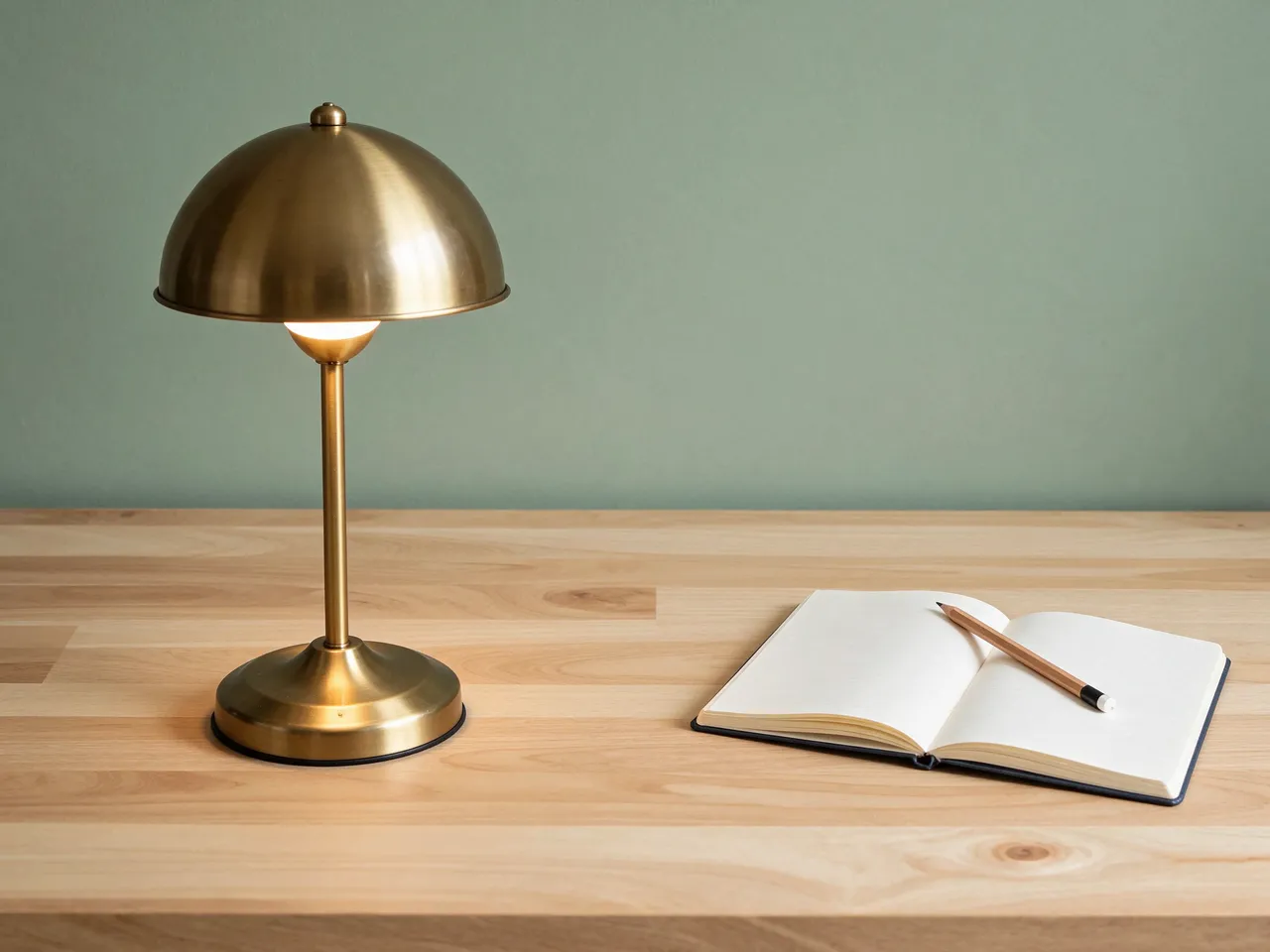
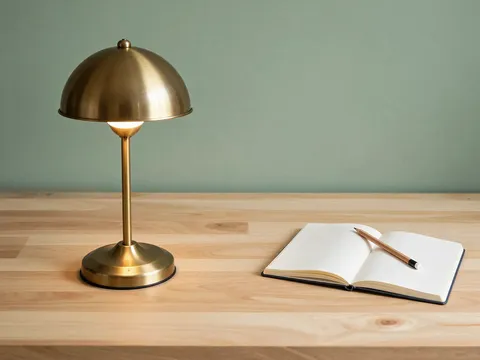
A brass desk lamp from a reference image placed on the left of a light oak desk

Reference images (up to 3)

Your image is image 1; references are numbered from 2. A combine costs the same with one, two or three.

Add up to three reference images and say how they go into this one.

This edit costs

0 credits

Sign up free: 50 credits

Your free credits cover two point-and-edits (25 credits each).

Upload the image you want to change, add up to three reference images and say how they go together. For example: "put the lamp from image 2 on the desk". The model keeps your image's framing, perspective and light, and brings in only what you asked for from the references. The result lands as a new layer you can compare and keep editing.

Updated

How it works

  1. 1

    Upload your image, then the references

    Your image is image 1. Add one to three references in the tray under the canvas; they are numbered 2, 3 and 4 so the instruction can point at them.

  2. 2

    Say how they go together

    Name the reference by number and say where it goes and how big it is: "put the chair from image 2 by the window, facing left". The editor shows the credit price before you run.

  3. 3

    Compare and continue

    The result appears as a new layer. Press Show before to compare with your image, download it, or pick any layer and run the next edit from there.

Good for

  • Placing a product photo into a room, street or tabletop scene
  • Borrowing a colour palette or material from a moodboard image
  • Putting a logo or pattern from one image onto an object in another
  • Trying several reference objects in the same spot, one layer each
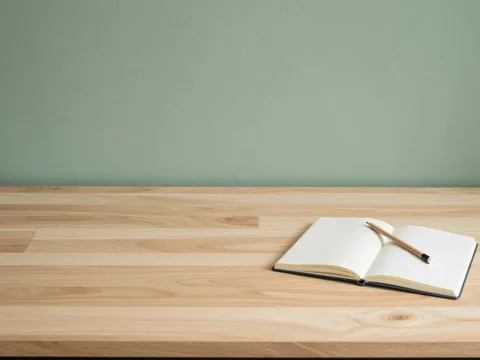
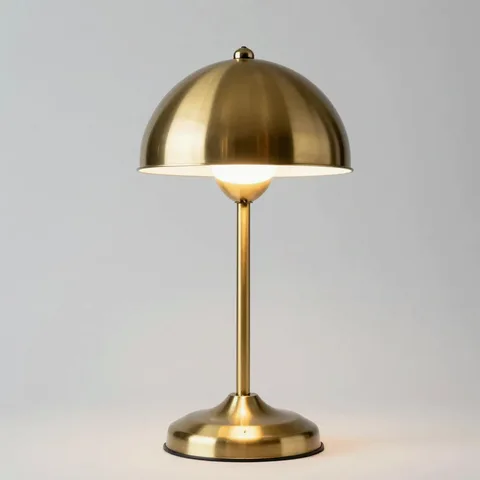
A brass desk lamp from a reference image placed on the left of a light oak desk: BeforeA brass desk lamp from a reference image placed on the left of a light oak desk: After
Reference image 2

Combine images

“Put the lamp from image 2 on the left side of the desk, at a natural size for a desk lamp”

Full prompt

Image 1 is the image to edit. Image 2 is a reference. Put the lamp from image 2 on the left side of the desk, at a natural size for a desk lamp. Keep image 1's framing, perspective and lighting, and match anything taken from a reference to that light. Do not add text or logos that are not asked for.

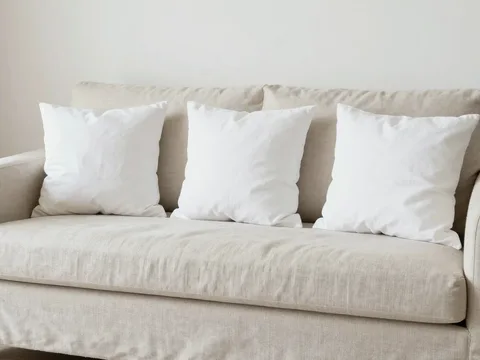
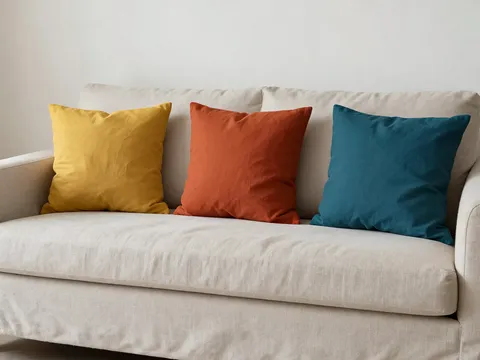
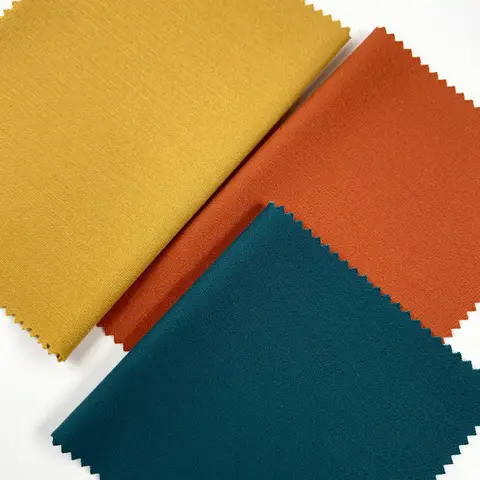
Three white cushions recoloured mustard, rust and teal from a swatch reference: BeforeThree white cushions recoloured mustard, rust and teal from a swatch reference: After
Reference image 2

Combine images

“Make the three cushions the colours of the fabrics in image 2: mustard, rust and teal, one each”

Full prompt

Image 1 is the image to edit. Image 2 is a reference. Make the three cushions the colours of the fabrics in image 2: mustard, rust and teal, one each. Keep image 1's framing, perspective and lighting, and match anything taken from a reference to that light. Do not add text or logos that are not asked for.

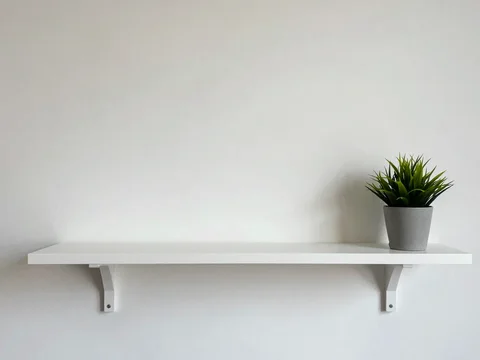
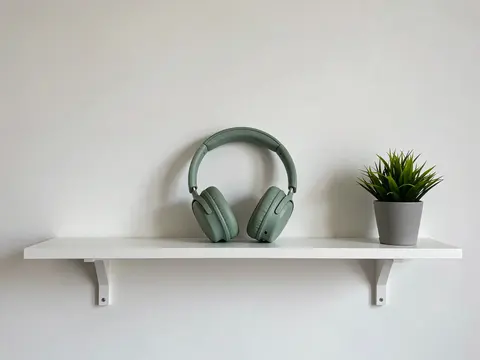
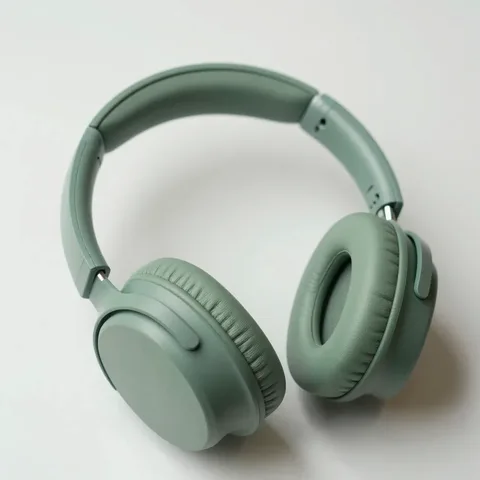
A pair of sage green headphones from a reference placed in the middle of a white shelf: BeforeA pair of sage green headphones from a reference placed in the middle of a white shelf: After
Reference image 2

Combine images

“Put the headphones from image 2 in the middle of the shelf, lying flat”

Full prompt

Image 1 is the image to edit. Image 2 is a reference. Put the headphones from image 2 in the middle of the shelf, lying flat. Keep image 1's framing, perspective and lighting, and match anything taken from a reference to that light. Do not add text or logos that are not asked for.

01

What a combine does with each image

Image 1 sets the scene: its framing, perspective, light and everything you did not mention stay as they are. The references only supply what you name: an object, a material, a colour scheme or a pattern. The instruction ties them together, so the clearer it says which part of which reference goes where, the closer the result. A combine is priced the same with one, two or three references, so adding a second angle of the same object costs nothing extra and often helps the model get its shape right.

02

Writing the instruction

Refer to images by number, and give a place and a size in image 1. For example: "the vase from image 2 on the left end of the shelf, about the height of the books". Say what to leave alone when it matters: "keep the wall colour". If you only want a reference's colours or texture, say so ("use the colours of image 3 for the cushions"), otherwise the model may copy the whole object. One combine per change works better than one long instruction with four changes.

03

Choosing good reference images

A reference works best when the thing you want is large, sharp and evenly lit, ideally on a plain background. Crop away everything else before uploading if you can. Light that roughly matches image 1 (soft daylight into a daylight room) blends better than a studio flash shot dropped into a sunset. Only use references you have the right to use; logos and products of other brands, real people and copyrighted characters are not allowed, and every reference is screened like the main image.

Credits per edit

The editor shows the exact cost before you run anything. Plans and credit packs

ToolModel1K2K
Point and editGrok Imagine Image 2.025—
Edit with textSeedream 5.53046
Combine imagesSeedream 5.5—71
Exact textGPT Image 2.53659

Questions

How many images can I combine at once?

Your image plus up to three references, four images in all. The price is the same whether you add one, two or three references.

Does combining change the rest of my image?

The model redraws the image, so small shifts can happen, but it is told to keep image 1's framing, perspective, light and everything the instruction does not mention. Use Show before to compare, and go back to the previous layer if something moved that should not have.

Can I put a real person from a reference into my image?

No. Placing real or named people into new scenes, and face swaps, are refused. Combine works with objects, materials, colours, patterns and scenes.

What size is a combined image?

Combines are made at 2K, about 2,000 pixels on the long side, which needs a plan or a credit pack. The exact size follows your image's shape.

What if the combine fails?

If the job errors or times out, the credits go back to your balance automatically. A result you do not like is not refunded, so try a shorter instruction or a cleaner reference.